


MirrorAPP+
3.130.00 Reviews
App Specs
- Version
- 2.5.14
- Updated On
- License
- Free
- Downloads
- 50,000+
- Developer
- Gigaboyz.com LIMITED
- Categories
- Auto & Vehicles
- Platform
- Android, iOS
Screenshots
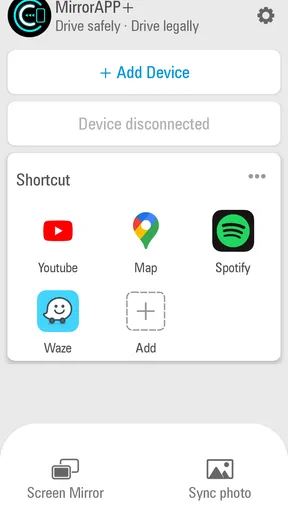
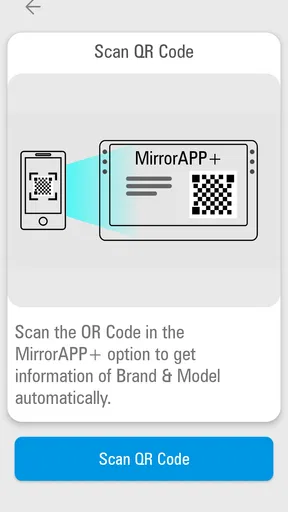
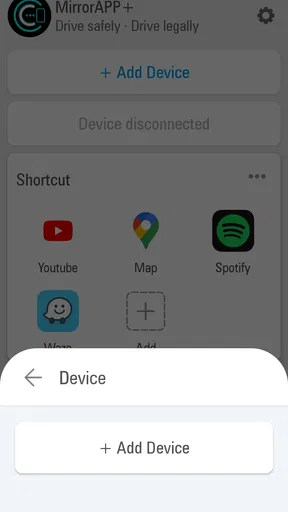
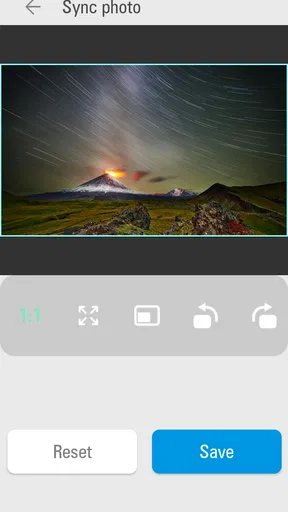
 Analysis by AppCompare
I approached MirrorAPP+ as a driving companion rather than as another general-purpose phone app. Its central idea is simple: make the phone more useful while you are on the road by presenting driving-related information in a mirror-oriented format. That focus gives the app a clear identity, but it also means the experience depends heavily on how, where, and why you use it.
In my experience, the app makes the most sense for drivers who want a quick visual aid during a journey without turning their phone into a complicated dashboard. It is free, aimed at everyone, and sits in the Auto & Vehicles category. Gigaboyz.com LIMITED is the developer, and the app has reached over 50 thousand installs. Those figures suggest a modest but real user base rather than a mainstream navigation platform.
The current version is 2.5.14 and it runs on Android 7.0 or later. That makes it accessible on many older phones, which is useful if you keep a spare device in the car. Still, compatibility alone does not make an app suitable for every vehicle or every trip. The important question is whether a mirror-style driving view fits your routine better than a conventional navigation, dash display, or built-in car system.
How the mirror-focused driving view changes everyday use
I look at the mirror-focused view as a way to rethink where a phone fits in a car, not as a shortcut to a better driving setup by itself. In this section, I’ll focus on how screen orientation affects the small choices you make before setting off, including whether a spare device is genuinely useful or just adds clutter. That practical question leads naturally to the bigger issue of how connectivity shapes the experience on the road.
The capability is useful because it changes the way information is viewed
The defining capability here is the mirror presentation. Instead of treating the phone screen like a normal handheld display, MirrorAPP+ is designed around a reversed visual arrangement that can be more natural when the device is positioned as a driving aid. That is the part that separates it from an ordinary map or dashboard app.
This may sound like a small adjustment, but it changes the placement problem inside a car. A driver often has to think about where the phone sits, which direction the screen faces, and whether the information remains readable from the driving position. A mirrored display can be helpful when the phone is mounted or positioned in a way that makes a regular view awkward.
I would not describe this as a replacement for a proper vehicle mirror. It is a screen-based aid, and its value comes from convenience rather than from adding a new physical viewing area to the car. That distinction matters. The app can support a driving setup, but it cannot remove blind spots, replace careful observation, or make an unsafe mounting position safe.
Worth Reading Before You Choose

EA SPORTS FC Mobile 26 Is a Bigger Football Game, but It Takes Time

Flipboard Shows What News Apps Must Do Beyond the Feed

Switching to Android Auto Means Rethinking Your Driving Routine

Google Calendar Makes a Crowded Week Easier to Manage

Ludo King Makes the Most of the Minutes Between Plans

Baby Panda World Brings Quick Play to Modern Phones, but Its Game Library Feels Busy
The strongest benefit is therefore situational. If your phone is already part of your driving setup and the normal orientation feels inconvenient, the mirrored view can make the display easier to integrate. If you are expecting a full navigation suite, traffic intelligence, or a complete vehicle-monitoring system, this focused approach may feel limited.
What using it in practice feels like
I found the app easier to understand when I treated it as one part of a driving arrangement instead of expecting it to do everything. The phone needs to be placed where the screen can be seen without forcing the driver to look down or away from the road. That means the quality of the experience depends as much on the mount and the phone position as it does on the application itself.
A practical setup starts before the car moves. I would open the app while parked, choose the viewing position, and check whether the reversed presentation makes sense from the driver’s seat. This is more useful than trying to adjust the display during a journey. It also gives you a chance to confirm that the screen is not blocked by the steering wheel, dashboard trim, or glare.
One non-obvious advantage is that the app encourages you to think about screen placement first. With many driving apps, people begin by entering a destination or starting a route. Here, the first task is visual alignment. That makes it particularly relevant for a temporary driving setup, a spare phone, or a vehicle where the usual screen orientation is inconvenient.
I would also keep the phone connected to a stable power source for longer trips. A bright, continuously visible screen can place more demand on a phone than ordinary intermittent use. This is not a reason to avoid the app, but it is a reason to prepare the hardware instead of treating the application as a self-contained car accessory.
The app’s free price lowers the barrier to testing it. You can find out quickly whether the mirrored layout works with your phone, mount, and driving position without committing to a paid purchase. That is important because this type of tool is highly dependent on personal setup. A feature that feels genuinely helpful in one car may be unnecessary in another.
A realistic everyday scenario
Imagine using an older Android phone as a dedicated driving screen for a weekend trip. Your main phone is needed for calls and messages, while the spare device sits in a mount near the dashboard. With a normal display, the orientation may not match the way the phone is positioned. MirrorAPP+ can make that arrangement more practical by presenting the screen in a reversed format that better suits the chosen placement.
Before leaving, I would set the phone in its mount, open the app while parked, and view the display from the normal driving position. If the information is legible and the angle feels natural, the phone can remain in place during the journey. The key benefit is not that the app magically provides more information; it is that the information can be arranged in a way that better fits the physical setup.
This scenario also shows the app’s limits. If you need turn-by-turn directions, you may still need a separate navigation service. If you want recording, you may prefer a dedicated dash-camera application. If your car already has a well-integrated display, adding a phone may create more clutter than value. MirrorAPP+ is most convincing when it solves a specific placement problem rather than when it is asked to become the entire driving system.
Small workflow choices make a noticeable difference
My first tip is to test the app in daylight and at night while parked. A display that looks clear in a shaded driveway may be harder to read under direct sun, while a bright screen can become distracting after dark. Checking both conditions helps you decide whether the app belongs in your regular setup or only in occasional situations.
My second tip is to use a dedicated phone profile for driving. Remove unnecessary notifications, close unrelated apps, and prepare the device before starting the car. The point is not to add complexity; it is to prevent the mirror view from being interrupted by unrelated phone activity. A spare device is especially useful because it lets the driving display remain focused.
My third tip is to judge the app from the driver’s normal eye line, not from the passenger seat. A screen can look perfectly positioned when viewed from the side and still be awkward from behind the wheel. This is one of the most important trade-offs with a mirror-oriented tool: the display may be correct while the physical placement is wrong.
Finally, I would avoid making adjustments while moving. The app is best prepared before departure. If the view is uncomfortable, pull over and change it safely. No visual convenience is worth creating a distraction, and the app should support attentive driving rather than compete with it.
Where it compares well with usual alternatives
Compared with a standard navigation app, MirrorAPP+ is narrower but potentially more adaptable to unusual screen placement. Navigation applications are built around routes, destinations, and map guidance. Their strength is helping you get somewhere. MirrorAPP+ is more concerned with how a driving-oriented display is presented.
Compared with a built-in infotainment screen, it is easier to try and easier to move between vehicles. It does not require a particular car dashboard, and the free download makes experimentation straightforward. The trade-off is integration. A factory screen usually feels cleaner because it is already part of the vehicle, while a phone setup requires a mount, power, and careful placement.
Compared with a dedicated mirror or camera accessory, the app is cheaper to test and more flexible as a temporary solution. However, a physical accessory may offer a more consistent viewing position and may be better suited to drivers who need that function every day. The app is therefore strongest as a low-cost experiment or supplemental screen, not automatically as the best permanent hardware replacement.
Compared with a dash-camera app, it serves a different purpose. A dash-camera tool is centered on recording the road, while MirrorAPP+ is centered on the viewing arrangement. Choosing between them depends on whether your priority is visual convenience or video capture. Installing both does not necessarily improve the experience if the phone becomes crowded with competing tasks.
The main trade-offs are practical rather than dramatic
The first trade-off is focus. The app’s clear identity is also its limitation. A driver who wants one application to handle navigation, music, calls, route planning, vehicle data, and recording may find this too specialized. I prefer that it has a defined role, but users should be comfortable combining it with other tools when necessary.
The second trade-off is hardware dependence. The application cannot compensate for a weak mount, a poor viewing angle, a reflective screen, or a phone that overheats in direct sunlight. These are not minor details in a car. They can determine whether the app feels useful or becomes a source of frustration.
The third trade-off is attention. Any extra screen in the vehicle can become a distraction if it is too bright, too low, or constantly demanding interaction. I would use the app as a set-and-check display, not as something to operate continuously. If you find yourself tapping the phone often, the setup is probably asking too much from the driver.
The public response also suggests a mixed experience. MirrorAPP+ has an average rating of 3.1 from over 200 ratings, alongside around 30 written reviews. I read that as a reason to approach it with realistic expectations. The concept is useful for the right setup, but it is unlikely to work equally well for every phone, vehicle, and driving habit.
That rating does not make the app a poor choice by itself. It tells me that the experience is more dependent on context than the short store summary might suggest. A user who specifically needs a mirrored driving display may appreciate it, while someone installing it without a clear purpose may quickly decide that a normal navigation or dashboard app is more practical.
Who gains the most from this app
I think MirrorAPP+ is best for drivers who already have a clear reason to use a reversed display. That includes people experimenting with a spare phone in the car, users whose preferred mount creates an awkward screen orientation, and drivers who want a simple driving companion without paying for a dedicated accessory immediately.
It can also suit households with more than one vehicle. A phone-based solution is easier to move than a permanently installed display, and the free price makes it reasonable to test in different cars. The important step is to evaluate each vehicle separately because dashboard shape, sunlight, mounting height, and driver position can change the result.
New drivers may appreciate the straightforward idea, but I would not recommend using it as a substitute for learning proper observation habits. The app should never encourage someone to stare at a screen instead of checking mirrors, surroundings, and traffic directly. Its role is supportive, not authoritative.
I would skip it if your car already provides a comfortable, integrated display and you have no problem with the standard orientation. I would also look elsewhere if your main need is advanced navigation, reliable route planning, recording, or deep vehicle diagnostics. In those cases, a purpose-built alternative is likely to offer a more complete experience.
Users with older Android phones may find the minimum requirement of Android 7.0 reassuring, especially when repurposing hardware that is no longer suitable for demanding modern apps. Even so, older hardware can affect brightness, responsiveness, and battery behavior. I would test the actual device before relying on it for a long journey.
My recommendation after using it as a focused driving aid
MirrorAPP+ is worth trying when the mirror-style presentation solves a real problem in your car. Its best quality is not breadth but purpose: it gives a phone a more suitable visual role in a driving setup where ordinary screen orientation is inconvenient. Because it is free and rated for everyone, the risk of testing it is low.
My recommendation is to install it with a specific plan. Decide where the phone will sit, check the view while parked, test it in different lighting, and keep the display secondary to direct attention on the road. If the arrangement feels natural, the app can become a useful part of a simple driving companion setup.
If you want a complete replacement for navigation or in-car technology, I would choose a more specialized solution instead. But if your question is whether a phone can be made more practical through a mirrored driving view, this app offers a focused answer. The real value comes from matching its visual capability to the physical layout of your car.
For me, that makes it a niche but sensible tool rather than an essential installation for every driver. The concept is easy to test, the cost is friendly, and the outcome depends honestly on your vehicle and mounting arrangement. Used with those expectations, MirrorAPP+ can earn a place in a spare-phone setup or solve a small but surprisingly irritating screen-orientation problem.
Gigaboyz.com LIMITED has kept the idea focused, and that focus is both the app’s strength and its boundary. I would recommend it to someone who can describe the exact display problem they want to solve. I would not recommend installing it simply because it is labeled as an ultimate driving companion. In this case, the most useful question is more specific: does a mirrored screen make your own driving setup clearer and safer to manage?
Pros
- Simple interface makes mirroring easy for first-time users.
- Useful for sharing photos
- videos
- and presentations on a larger screen.
- Works well for quick
- casual screen-sharing sessions.
- Convenient option when you want to avoid cables or adapters.
- Helpful for checking mobile content on a TV or secondary display.
Cons
- Performance depends heavily on Wi-Fi quality and network stability.
- Video may show noticeable delay during games or fast-moving content.
- Some devices or TVs may not support every mirroring feature.
- Battery consumption can increase during longer mirroring sessions.
- Privacy concerns may arise when displaying notifications or personal content.
FAQs for MirrorAPP+
What is MirrorAPP+ and what can I use it for?
MirrorAPP+ is designed to mirror or share content from a mobile device to a compatible television, monitor, or other supported display. Depending on the device and connection method, you may be able to show photos, videos, presentations, websites, or the entire phone screen. Its usefulness depends on whether your phone and receiving device support the same casting or mirroring standards.
Is MirrorAPP+ compatible with both Android and iPhone?
Compatibility can vary depending on the version of MirrorAPP+, your phone model, and the receiving screen. Android devices generally offer broader support for wireless display and casting features, while iPhones may require AirPlay-compatible hardware or an additional receiver. Before downloading, check the app listing and your television or streaming device specifications to confirm that they work together.
Does MirrorAPP+ require Wi-Fi or an internet connection?
MirrorAPP+ normally requires a wireless network so the phone and receiving device can discover and communicate with each other. In many cases, both devices must be connected to the same Wi-Fi network, although some compatible hardware may support a direct connection. Internet access may not be necessary for local mirroring, but it can be required for online videos, advertisements, updates, or account-related features.
Can I mirror streaming services and protected video content with MirrorAPP+?
MirrorAPP+ may mirror ordinary phone content, but protected material from streaming platforms is often restricted by copyright and digital-rights-management systems. As a result, some services may display a black screen, block playback, or allow only limited casting through their official apps. For the most reliable results, use the streaming service’s built-in casting or AirPlay option when it is available.
Is MirrorAPP+ free, and what permissions does it request?
The availability of free features, advertising, subscriptions, or optional in-app purchases depends on the current version of MirrorAPP+. A mirroring app may request permissions related to local-network access, nearby devices, photos, media, or screen recording because these functions are needed to discover devices and transmit content. Review the store listing and permission prompts carefully, and avoid granting access that is unrelated to your intended use.


